Account linking
One account, however you sign in
Email, Google, and Apple can all open the same Hobbstack account. If you saw “an account already exists for this email,” here's exactly what it means and how to link your methods together — in plain language.
What “an account already exists” means
Your email address is the key to your Hobbstack account. When you try to sign in with Google or Apple and an account already exists for that email under a different method, Hobbstack will not create a second account and will not silently merge the two. Instead it asks you to confirm the account is yours by signing in with your original method first. Once you do, the new method is linked — and from then on any of your linked methods signs you into the same account.
Fastest way
Link right from the sign-in screen
If you hit the “account already exists” note while signing in, you don't need to go anywhere. Hobbstack links the two methods for you as soon as you sign in with your original one.
- 1
Tap Continue with Google or Apple
Start the sign-in you wanted to use on the Hobbstack sign-in screen, the same as always.
- 2
You'll see a short note
If an account already exists for that email under a different method, Hobbstack tells you right on the screen instead of creating a second account.
- 3
Sign in with your original method
Right below the note, sign in the way you first created the account — your email and password, or the other provider.
- 4
We link it automatically
As soon as you're signed in, Hobbstack attaches the new method to your account. Next time, either one signs you straight in.
Anytime
Link from Settings
Already signed in and want to add Google or Apple? You can link (or unlink) methods from your account settings whenever you like.
- 1
Sign in to Hobbstack
Use whichever method already works for your account.
- 2
Open your profile settings
Tap your profile, then open Privacy & Security. On the web app you'll find the same section under your account settings.
- 3
Find Linked Accounts
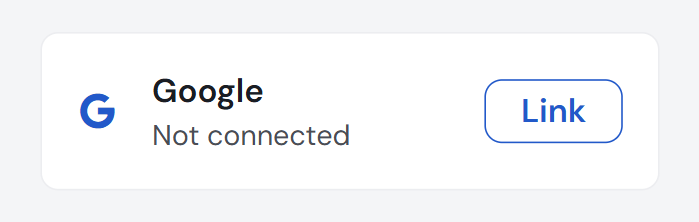
Scroll to the Linked Accounts section. Each provider shows whether it's Connected or Not connected.
- 4
Tap Link, then authorize
Tap Link next to Google or Apple and approve the provider prompt. The status flips to Connected and that method now signs you into the same account.
You can unlink any added method later from the same screen. Your primary method — and the last remaining way to sign in — can't be removed, so you never lock yourself out.
Why we don't merge sign-ins automatically
Automatically merging a Google or Apple sign-in into an account that already exists for that email would let anyone who controls a matching provider address slip into your account. Requiring you to first sign in with your original method proves the account is yours before anything is linked. It's one extra step, once — and it's what keeps your logbook, schedule, and billing yours.
Common questions
Will linking create a duplicate account or lose my data?
No. Linking attaches the new sign-in method to your existing account — it's still one account. Your schedule, logbook, organization memberships, settings, and subscription stay exactly as they are.
What is my “primary” sign-in method?
It's the method you first created the account with. It can't be unlinked, which guarantees your account always keeps at least one working way to sign in. You can unlink any additional method anytime.
I use Apple's Hide My Email — does linking still work?
Yes. Linking is keyed to your Apple ID itself, not the private-relay email address, so it works the same way and stays tied to the right account.
Does my subscription carry over to every device and method?
Yes. Billing is tied to your account and organization on our servers, not to a device. Whichever linked method you use, on any phone or computer, you're signed into the same account with the same plan.
Still stuck?
If a linked method isn't signing you into the right account, reach out and we'll sort it out with you.